Confirm your email address
Confirming your address tells RU4M that this mailbox really belongs to you. It happens in two steps: the Check your email page that registration ends on, and the page the link in the message opens. Both are short, and neither stops you from working in between.
Public — no role, package or existing event needed.
Both screens are open to anyone with the link or the address. You do not need a company, an invitation or an event to confirm an address.
Where the screens live
- Check your email —
/en/auth/check-email. Registration sends you here automatically; the address you entered is carried in the page address. - Verify email —
/en/auth/verify-email. You reach it only by opening the link from the message, so there is nothing to type.
Confirming an address is not a condition for reaching the dashboard. Continue to dashboard is offered on Check your email before you have confirmed anything, and it works.
Step 1 — Check the message
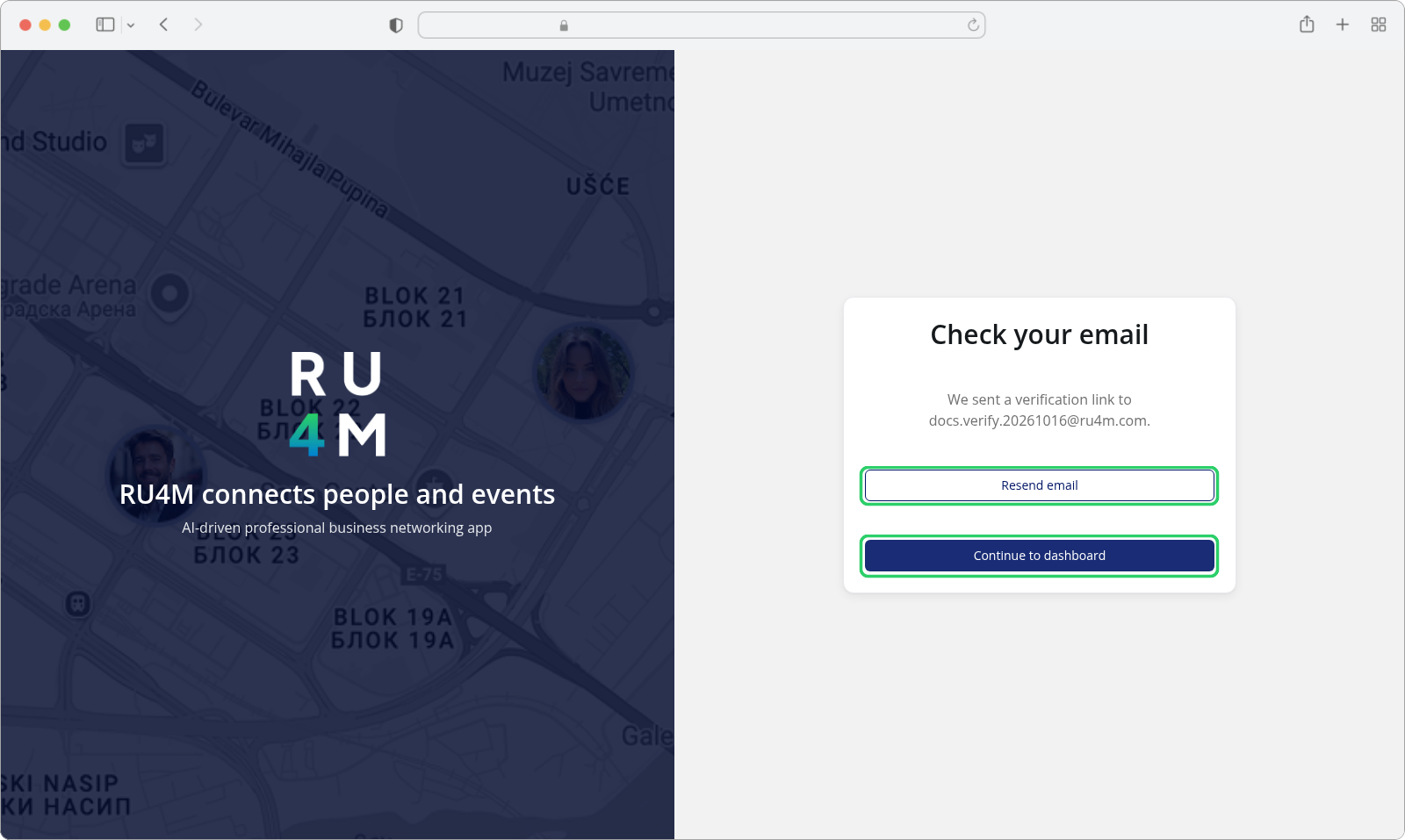
We sent a verification link to your address. Open the message from RU4M and follow the link inside it. The link opens Verify email, which reports the result — see the next step.
If no message arrives, Resend email sends another one.
Step 2 — Open the link
Verify email has one of three outcomes:
| The page shows | What it means | What to do |
|---|---|---|
| Your email has been verified. | The address is confirmed. | Follow Continue to dashboard if you are signed in, or Sign in if you are not. |
| Verification link is invalid or expired. | The link was already used, or it is older than the confirmation window. | Signed in, send a fresh link with Resend email from that page and open the new one. Signed out, press Sign in there first — the resend needs a session. |
| We could not verify your email right now. Check your connection and try again. | The check could not finish — a connection or server problem, not a problem with your link. | Press Try again. |
Opening a link twice reports it as expired
A link works once. Opening the same message a second time shows Verification link is invalid or expired even though the address is already confirmed — check whether Verify email first showed Your email has been verified. before resending anything.
Step 3 — If the message does not arrive
Resend email is always visible here. On the Verify email page the same button shows only for an invalid or expired link, and only while you are signed in — signed out, that page offers Sign in instead. After a successful send it is disabled and counts down:
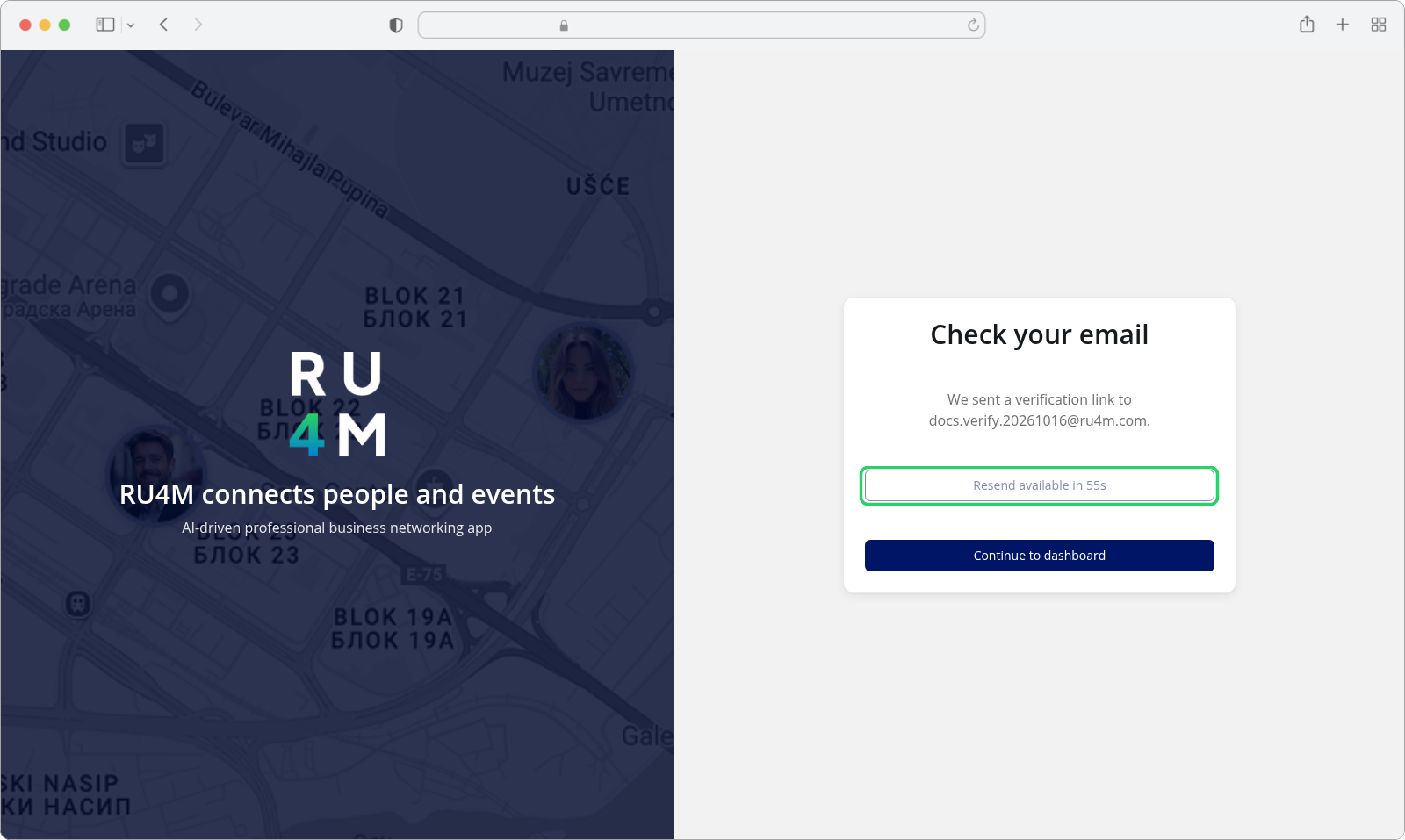
The wait is one minute. When the countdown reaches zero the button reads Resend email again.
Resending only works while you are signed in. Signed out, the attempt is refused with Sign in to resend the verification email. and you are taken to the sign-in page — sign in and open the same Check your email page again.
The message is real email, and its arrival is not guaranteed
Delivery depends on your mailbox and any filters along the way. If a message never arrives after a resend, check the spam folder before treating it as a problem with your account.
If something goes wrong
| Message | What it means | What to do |
|---|---|---|
| Email sent. | The message was handed to your mail service. | Wait for it and open the link inside. |
| Please wait before requesting another verification email. | You asked for a resend too soon. | The button restarts its one-minute wait and becomes usable again after it. |
| Failed to send email. | The message could not be handed over. | Wait a moment and press Resend email again. |
| Sign in to resend the verification email. | Resending needs a session, and yours has ended or never started. | Sign in, then reopen Check your email — do not register a second account. |
| Verification link is invalid or expired. | The link was already used or has aged out. | Resend the message from that page while you are signed in, then open the new link. |
| We could not verify your email right now. Check your connection and try again. | The check could not complete. | Press Try again once you are back online. |